NovaDaw

NovaDaw
The Songwriter's DAW

Record your songs, and sketch them with a band that plays along. Write the chords, hear a band play them, record your own parts over the top and mix the finished song, all in one program.

$99$129 Launch price: $30 off until December 31, 2026. No code needed.

One-time purchase. All 1.x updates included. Up to 3 computers. Windows 10 and 11.

Buy NovaDaw — $99 Try it free for 30 days NovaDaw 1.0 is coming soon

Everything a songwriter needs, in one place

From the first chord idea to the finished mix, without switching programs.

SongSketch

Sketch a song in minutes

  • Type or click in your chords, section by section, and a full band plays them: drums, bass, piano, guitar, pad and melody.
  • Pick a style and a feel, or shape each part yourself in the pattern editors.
  • Guitar parts use real chord shapes, capo included. Choose a piano voicing chord by chord.
  • 4/4, 3/4, 2/4, 2/2, 6/8 and 12/8.
  • Add your own parts with up to four Feature Tracks, MIDI or audio.
  • Send to NovaDaw puts the whole band on tracks, chords and sections lined up, ready to record over.
Perform

Play it live

  • Song mode: the band plays your whole song hands-free, intro to ending, while you play and sing.
  • Live Chords: drive the band from your MIDI keyboard. Play a chord and the band follows.
  • A big, scrolling chord chart to read from, and a capo setting.
  • A set list you can step through with Next and Previous, from pads or a footswitch.
Record and mix

A full recording studio

  • Record audio and MIDI on as many tracks as you need, with take lanes for comping the best take.
  • Piano roll, chord track with chord detection, and a tempo map with gradual tempo changes.
  • Audio can follow the song's tempo, keeping its pitch.
  • A built-in channel strip on every track (EQ with a live spectrum, compressor, gate and limiter), plus busses and automation.
  • Use your own VST3 instruments and effects, or the built-in SoundFont player.
  • Export to WAV or MP3, every track as its own file (stems), plus MIDI.

See it

NovaDaw and SongSketch on Windows.

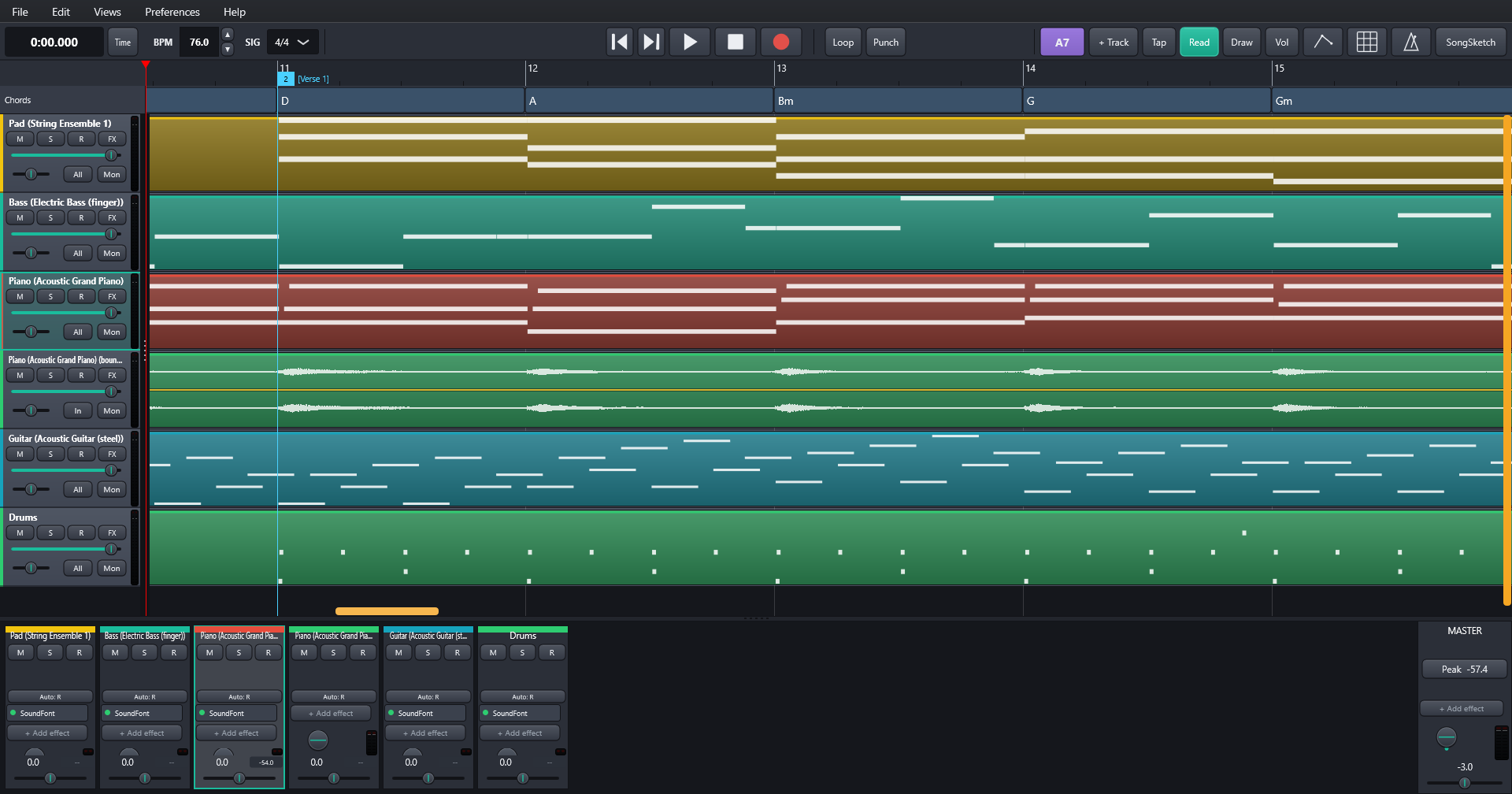
NovaDaw's main window: a band sent from SongSketch on tracks, with the chord track and mixer
The band from SongSketch, on tracks and ready to record over
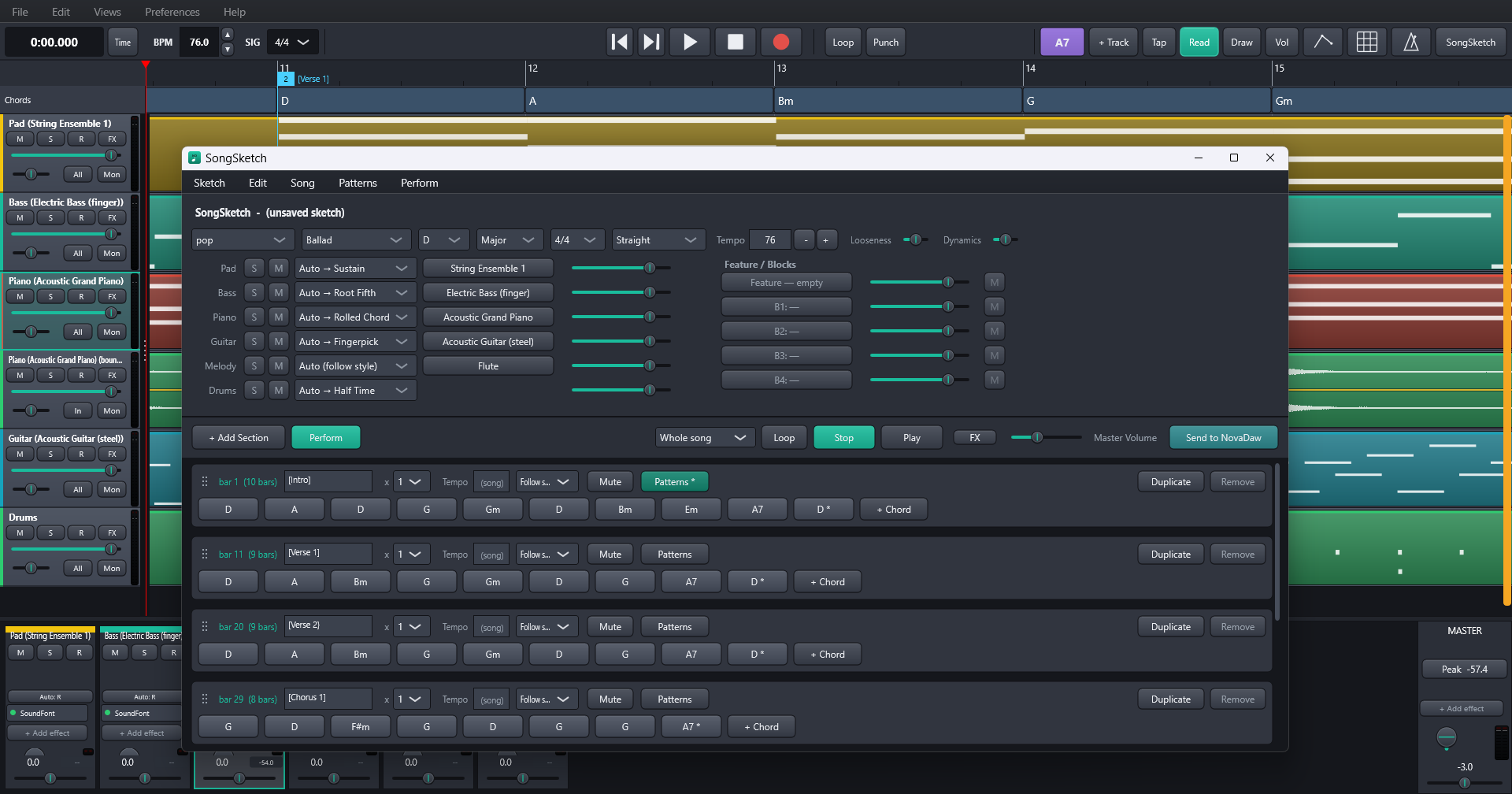
The SongSketch window: style, instruments and chords entered section by section
SongSketch: pick a style and type in the chords, section by section
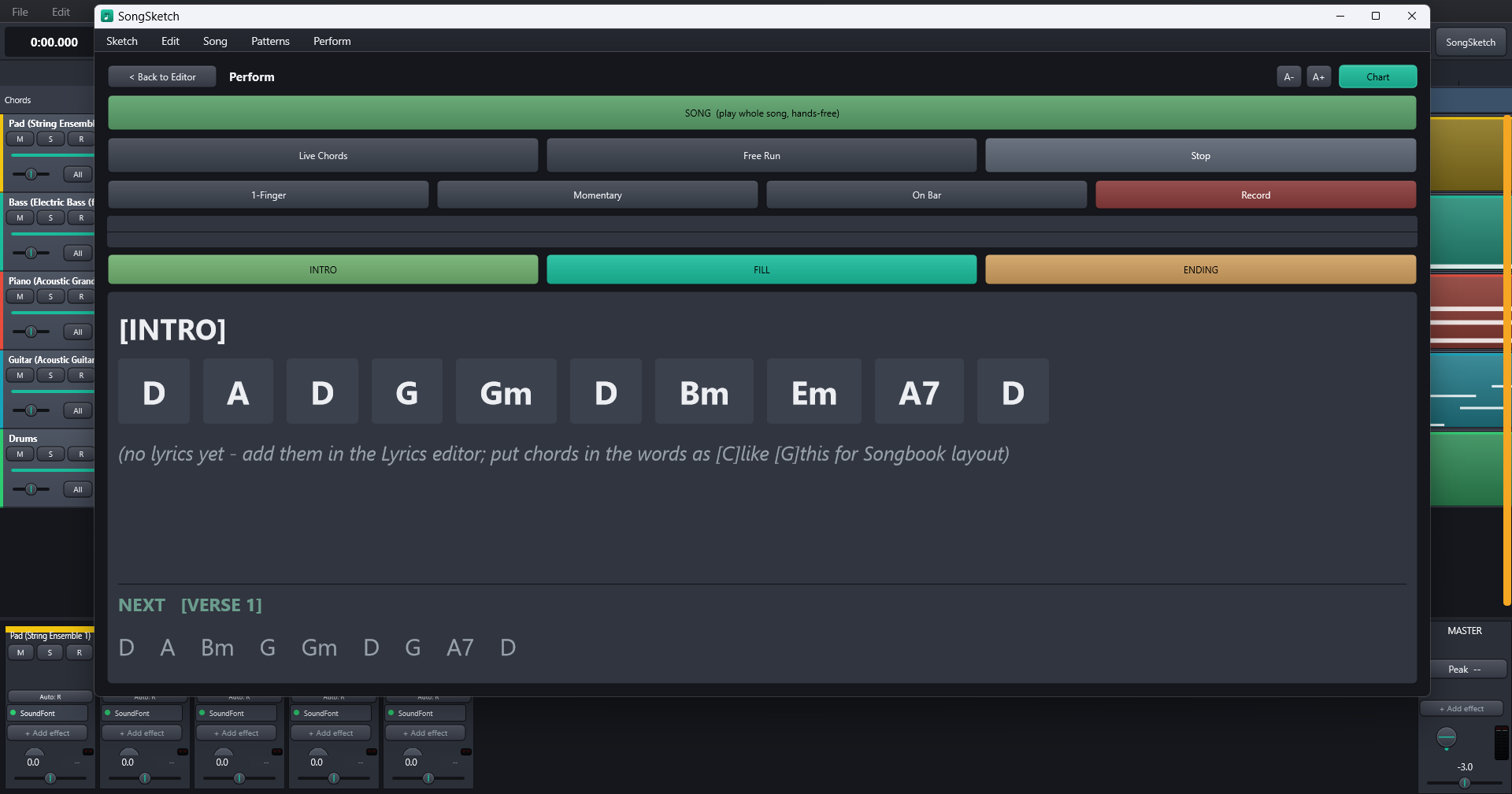
Perform: big chord chart with Intro, Fill and Ending pads
Perform: the band plays while you read the big chord chart

Made to be dependable

Built for people who want to make music, not fix their computer.

Works fully offline

Activate once with an internet connection. After that NovaDaw never needs the internet to start or run.

Your work is safe

Auto-save with crash recovery. Songs are saved as a self-contained folder you can move to another drive or computer.

Help where you need it

A complete user guide is built in, and the main windows have a ? button that opens it at the right page.

Portable install

An optional portable install keeps NovaDaw and all its settings together on one drive.

Try it free for 30 days

Everything switched on, no card needed. After the trial NovaDaw still opens and plays your songs; buy a licence to save and export again. Your work is never lost.

Download the free trial

The free trial download arrives with NovaDaw 1.0.

What you get

  • A licence key for NovaDaw 1.x, for up to 3 computers. Moving to a new PC? Use Deactivate this PC in NovaDaw and activate on the new one.
  • All 1.x updates free. NovaDaw checks once a week and shows a small note. It never downloads anything on its own, and you can switch the check off.
  • The Windows installer, signed so Windows knows where it came from.

System requirements

  • Windows 10 or 11, 64-bit
  • 8 GB RAM and 1 GB free disk space, plus room for your recordings
  • An audio interface or your computer's built-in sound (ASIO and Windows audio both supported)
  • Optional: a MIDI keyboard, pads or a footswitch for playing and Perform
  • An internet connection once, to activate

Refunds

Try the free 30-day trial before you buy. If you buy and NovaDaw doesn't work right for you, email us within 14 days for a full refund.

Support

Email responsejw57@gmail.com or visit the NovaDaw forum.

Privacy

Activating sends your licence key to Polar, our store, to check it. The weekly update check asks our update server for the latest version number. NovaDaw sends nothing else: no tracking, no account, and your songs stay on your computer.